
 Australia
 Canada
 Cayman Islands
 Dominican Republic
 Hong Kong
 India
India
 Indonesia
 Ireland
 Jamaica
 New Zealand
 Singapore
 Thailand
 United Kingdom
 Vietnam

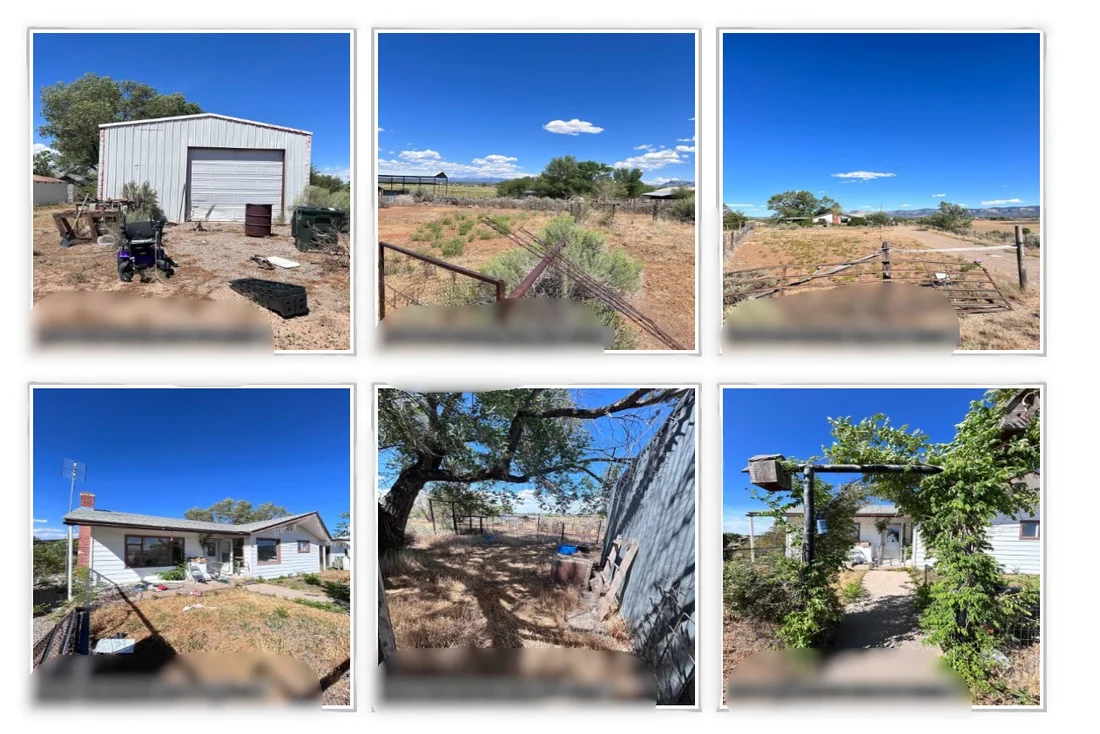
A contractor recently asked us to walk through, in detail, what actually happens to a work order once it lands in our queue. Not the marketing version, the real one: what we need from a client, what we check, what takes the most time, and what happens when something gets missed. Here is the honest answer.
What we need to get startedThe first thing we need is portal access, the vendor code, password, and which national platform the client uses, Safeguard, MCS, Five Brothers, Cyprexx, and so on. Once we are in, we can see the queue directly rather than relying on the client to describe every order.
Beyond that, we usually just need to know which order was completed, the address, work order number, or even just the road name is often enough. Photos are frequently already uploaded to the portal by the field crew. If not, they arrive by Dropbox, WhatsApp, Telegram, PPW, or Pruvan along with the property details.
We read the work order instructions directly from the portal, so those rarely need to be repeated. What genuinely helps is a field note when something did not go according to plan, for example, the crew could not gain interior access because the property was occupied or there was no key or code available.
From photos to a submission ready orderOnce we have what we need, the process generally runs in this order:
Organize and upload photos. Field crews often send a batch of unsorted photos covering several different tasks. We sort them by what they support, completed work, bids, or both, and check whether what was requested (winterization photos, for example) actually arrived.Fill gaps where possible. If a required documentation photo like the address or street sign is missing, we check previous orders for the same property before asking the crew to go back out. In some cases a formatted map image can stand in when the portal allows it.Complete the Property Condition Report. Most portals require detailed condition reporting, home type, garage, windows, boarding, AC equipment, trees touching the structure, interior systems, and more, each answer backed by the matching photo.Prepare the bids. Every bid needs the correct line item in that portal's estimating system, whether that is Bluebook, RepairBase, Xactimate, or Integrated Cost Estimator, plus a description detailed enough to justify the price. See the example below.Document completed work and invoice. Before, during, and after photos get matched to the right line items, and the invoice reflects what was actually completed against that portal's allowables.Notes and optional review. Anything that needs explaining goes into a note to the national or client. If the client wants to review before submission, we send a work order and invoice summary first, otherwise we submit directly.What a real bid description looks like:
"Trim (2) large trees, each approximately 38 inches in trunk diameter. One tree is approximately 35 feet tall, the other approximately 25 feet tall. Both are touching the roof and structure, one at the front of the home, one over the covered back patio, causing damage. Both will be trimmed back to provide a minimum clearance of 12 inches from the roof and exterior walls. Scope includes complete cleanup, haul away, and disposal of all debris. Requires chainsaw use, ladder or stair access, and a crew of two workers for approximately six hours."
It depends heavily on the portal. Safeguard lock, winterization, and initial orders often carry large property condition reports with many questions to answer against the photos. Bids take roughly five minutes each once you count line item selection, description writing, pricing, and photo attachment, and that adds up fast on an order with several bids.
The single biggest time cost, more than any portal's complexity, is unorganized photos. When a crew completes several tasks and sends one unsorted batch, someone has to identify every photo and match it to the right task before any real processing can start. MCS adds its own friction here since Vendor360 is app based rather than browser based, which slows down photo handling and often means preparing bids outside the portal first.
What gets checked on almost every orderWe start by verifying the property itself, checking the address against Zillow or similar listings to confirm the home type, garage configuration, and general layout, so we know the photos we received actually match the property. From there we review the condition photos against the portal's questions, and compare everything against what was reported on previous orders for the same address.
That history matters more than it might seem. If a prior order documented a hot water heater in the utility room but the current photos do not include that room, we do not assume it is gone, that would be reporting something we cannot actually see. But if the utility room is shown and the heater is missing, that gets reported. The same logic applies to avoiding duplicate bids, if a satellite dish removal was already bid on a previous order, we do not rebid it unless specifically asked to.
What most often blocks an order from closing immediatelyThe most common issue is simply that the field crew's work does not fully match the instructions. After that, it is missing documentation, most often:
Address or street sign photosFront, rear, and side exterior photosRoof photosFull interior condition photos per roomBefore, during, and after photos for completed workCorrect supporting photos matched to each bidFrequently asked questionsAround 10 percent have issues serious enough that submitting without addressing them risks rejection or a backcharge. Looking at the wider picture, national portals reopen or request corrections on roughly half of all orders industry wide at some point, depending on the portal, order type, and how closely instructions were followed.
The basic concept is the same everywhere, condition reporting, photos, bids, completed work documentation, and invoicing. The execution is not. Safeguard and Cyprexx run mostly through the browser, MCS runs through an app called Vendor360, and Five Brothers uses Zephyr for parts of its workflow. Estimating tools differ too, Bluebook and Cost Estimator on Safeguard, RepairBase related tools on MCS, Xactimate on Altisource. Knowing property preservation in general is not the same as knowing a specific portal's quirks.
Yes, a meaningful amount of it. Given the work order instructions, field notes, and photos, we can review condition, prepare property condition report answers, flag missing documentation, organize photos, and draft bids ready to enter. Only the final submission strictly requires portal access.
It scales with the mistake. A small documentation gap usually just means a reopened order and a delayed payment. An underpriced bid that gets approved can mean the vendor absorbs the difference themselves, with no guarantee a dispute will change that. Missing real damage, like roof or water damage, can surface later during a national inspection and turn into a chargeback or unpaid corrective work. Missing a deadline can trigger reassignment. The common thread is that careful documentation up front is far cheaper than a correction after the fact.